
SQL query
Smart CSV keeps your file in a small database on your phone, so you can query it with SQL.
Open the SQL editor
Section titled “Open the SQL editor”Tap Filter in the bottom bar, then Edit as SQL. The editor starts with the query your current conditions amount to, for example:
SELECT *FROM csvWHERE ( `continent__D` = 'Europe' )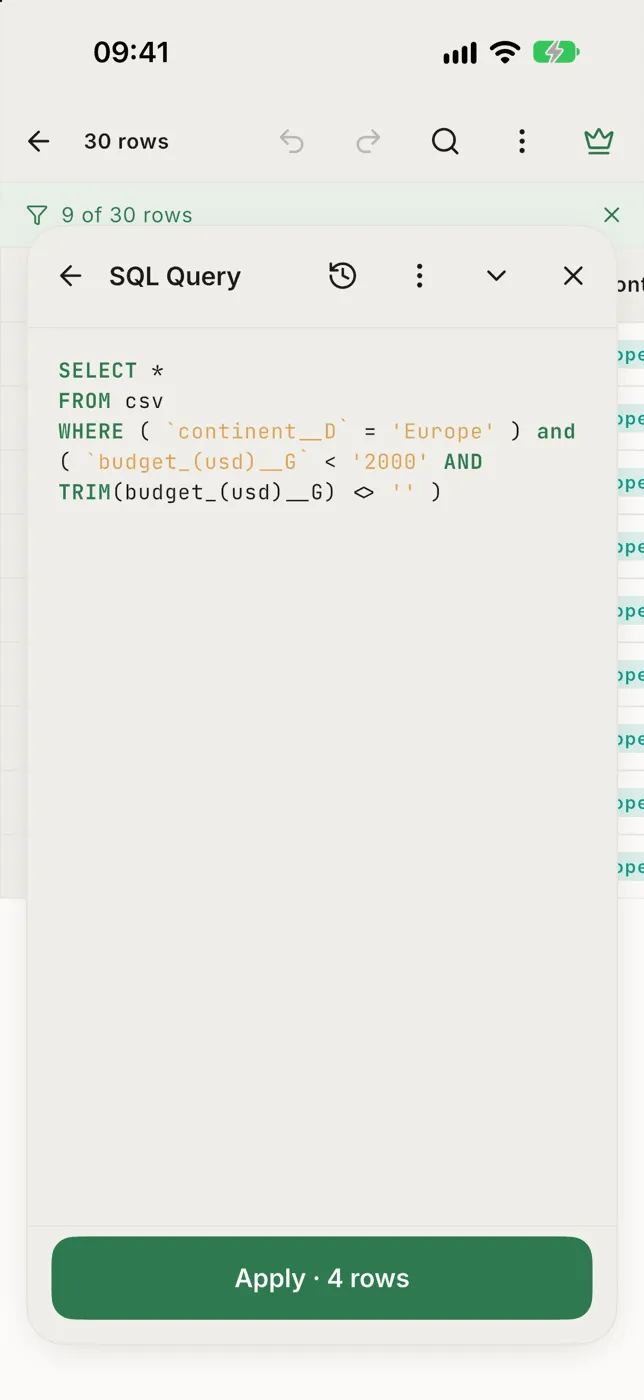
- The table is called
csv. - Each column is named after its header, in lower case, with its letter:
continent__Dis column D, Continent. Columns without a header are just their letter.
Write and apply
Section titled “Write and apply”Type your query. Pause for a moment and the button updates to Apply · 1,204 rows. If the query has a mistake, the message appears above the editor and Apply waits until you fix it. If nothing matches, it says No rows match.
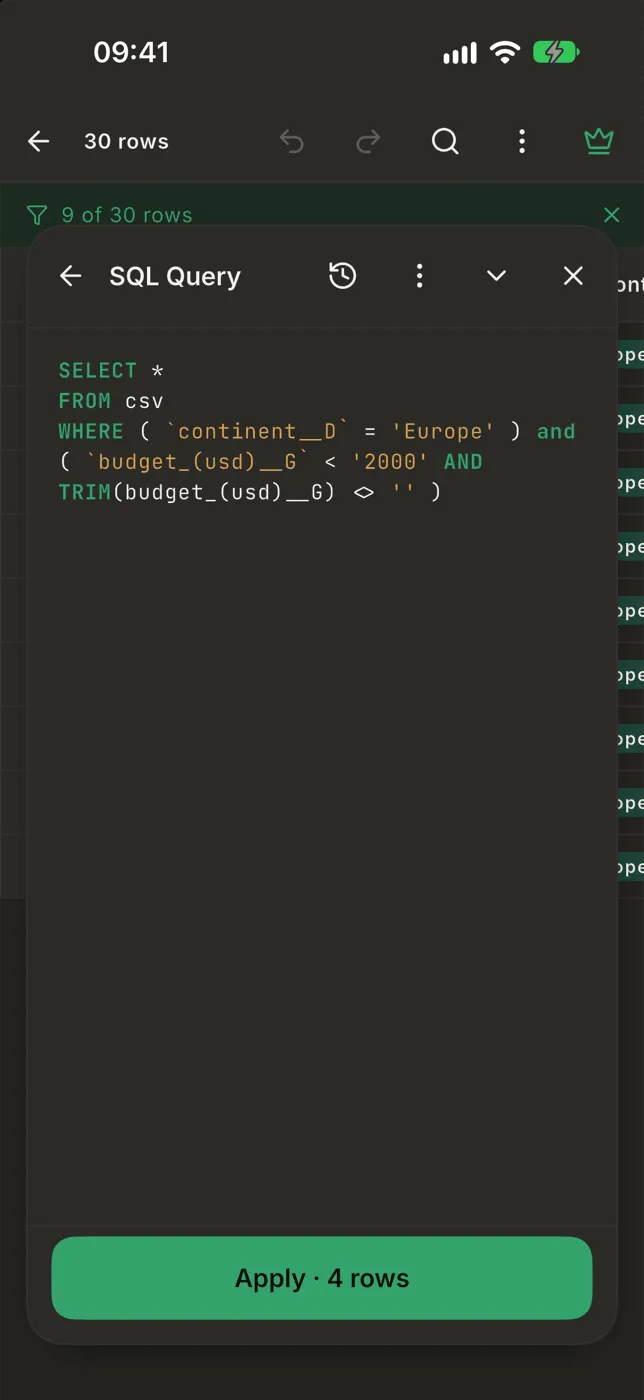
On a phone the editor fills the screen, so the whole query is in view:
- Apply is at the top, with its count.
- A mistake shows as one line under the editor. Tap it to read all of it.
- While you type, two rows of shortcuts sit above the keyboard.
Columns: tap one to insert its name, quoted the way SQL needs.
Keys such as
LIKE '%%',ANDand' ', with the cursor left inside the quotes. - To put the keyboard away, tap ⌄ at the end of the keys or drag the editor down.
On a tablet the editor is a panel over the table, and grows up to the top of the table while you type.
Examples
Section titled “Examples”-- Trips under $2,000, cheapest firstSELECT * FROM csvWHERE `budget_(usd)__G` < 2000ORDER BY `budget_(usd)__G`
-- How many trips per continentSELECT `continent__D`, COUNT(*) AS tripsFROM csvGROUP BY `continent__D`
-- Rows where the name contains "new"SELECT * FROM csvWHERE `destination__B` LIKE '%new%'Number and date columns compare by value, so > 100 works on 1,250.00.
Templates and history
Section titled “Templates and history”- ⋯ has ready-made queries: show duplicate rows, hide duplicate rows, hide empty rows. Picking one replaces the editor’s text, and Undo brings the old query back.
- The history button lists your past queries. Tap one to load it.
Leaving the editor
Section titled “Leaving the editor”- ← goes back to the condition builder. A query can’t be turned back into conditions, so it is discarded (you’re asked first if you changed it).
- ✕, swiping the header down or pressing back only closes the editor. Your query is still there next time.
Free and Pro
Section titled “Free and Pro”The free version includes a number of free SQL queries; Edit as SQL says how many are left. Checking the row count while you type doesn’t use one up. Pro has no limit.